/Thriveon_logo_IT.svg "Thriveon_logo_IT.svg")
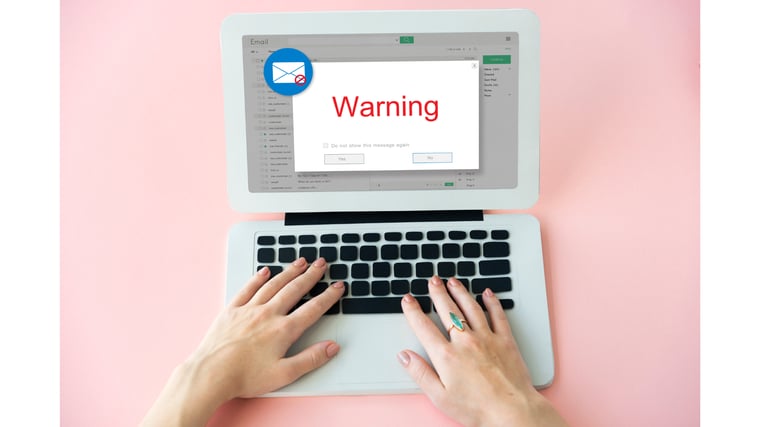
Cyber criminals are always trying to find new ways to steal and damage sensitive data. Email attachments used to feel like the safe part of phishing: if you didn’t click a link, you were fine.
That era is over.
Today’s attackers pack malicious software, or malware, into everyday email attachments to compromise your system or steal sensitive information. Why? Because attachments still slip by people and filters.
Let’s break down how these attacks work, the different types and what practical defenses reduce your odds.
Read: 8 Email Security Best Practices You Should Follow
Why Attackers Still Love Attachments
Email remains the most common foothold for initial compromise because it’s cheap, scalable and aimed at humans rather than systems. Attachments are a top delivery method for malware, as attackers often hide a real malicious link behind a “harmless” attachment. Certain file types, such as .exe, were once considered dangerous to open when attached in an email, but the hard truth is that any file attachment can be suspicious.
Worse, artificial intelligence (AI) is making these attack campaigns far more convincing. It can help attackers polish their writing, perfect formatting and realistically impersonate people so the victim is more likely to open the file in the first place.
The Most Common Malicious Attachment Types
Attackers rarely send obvious .exe files anymore. Instead, they weaponized formats that your organization allows.
- PDFs: PDFs are widely trusted, as they are often used for invoices, contracts and HR forms, and many filters treat them as low-risk. Modern phishing PDFs often contain embedded links or QR codes that trick users into revealing credentials or downloading further malware.
- Microsoft Office files: Even with macro blocking improving, Office files remain a favorite for malicious attachments. Attackers use macro-enabled docs (.docm and .xlsm) to carry malware.
- Archive files: Cyber criminals often use compressed files to bypass email security filters, as the malicious file is hidden within the archive. They may even password-protect the archive, preventing automatic scanning and blocking.
- “Odd” file formats: Attackers increasingly use Windows shortcut files that execute commands, and newer formats like OneNote files can also evade legacy controls. These files look non-threatening and bypass extension-based blocking.
Red Flags You Should Watch For
Your users don’t need to become forensic analysts to recognize malicious attachments – they need reliable “gut-check” cues.
- Unexpected attachment: If you received an unexpected attachment with an unusual file extension, even from someone you know, this could be a sign.
- “Enable editing/content/macros to view”: Legitimate documents rarely require these permissions to read the attachment.
- Urgent language: If you see urgent language demanding immediate action, like “pay this invoice now” or “review payroll changes,” beware the attachment.
- Poor grammar and generic greetings: Legitimate companies carefully proofread their communications and often add a personal touch. Numerous errors or generic greetings like “Dear Customer” are a major red flag.
- Spoofed email address: Cyber criminals can spoof the email address of someone you trust to entice you to open it.
Controls That Reduce Attachment Risk
You don’t need dozens of security tools to reduce attachment risk. You need layers that cover people, platforms and post-delivery behavior.
- Don’t open unexpected attachments: It’s simple. If you receive an unexpected attachment, especially from someone you don’t know, don’t open it.
- Harden your email platform: Implement email authentication protocols to verify the authenticity of email senders. Block or quarantine high-risk file types with filters.
- Reduce the attack surface: Even perfect filtering won’t help if one compromised account can lead to others. Enforce multi-factor authentication (MFA) and least privilege access.
- Train staff: Training should emphasize how to identify new modern attacks and how to report suspicious incidents.
- Incident response plan: When an attachment incident happens, utilize an incident response plan (IRP) that outlines what to do during an event.
- Verify file extensions: Always look at the full file extension to see if it has a legitimate name or a suspicious one, like .exe or .docm.
- Keep software updated: Cyber criminals often exploit vulnerabilities to deliver malware. Regularly update software to patch these vulnerabilities.
Stay Safe with Thriveon
For leadership teams, malicious attachments aren’t only an IT annoyance – they’re a risk multiplier. One wrong click can trigger downtime, financial loss and regulatory exposure.
If you want help protecting your company, Thriveon can serve as a Fractional CIO and cybersecurity partner. We can align your company with 500 industry best practices to protect you from high risks.
Request a consultation now for more information.